Excel automatically recognizes dates and converts them to the Date format. When you upload the file, Quartzy views everything as Text, so it converts the dates into a text string.
To solve this issue, you need to force the cells into Text format before you put dates into them:
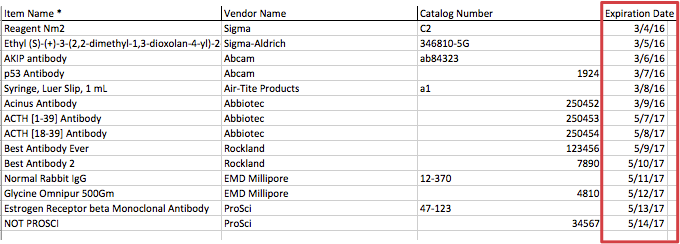
1. Copy the dates from the Excel spreadsheet as they are (most likely they are in the “Date” format).
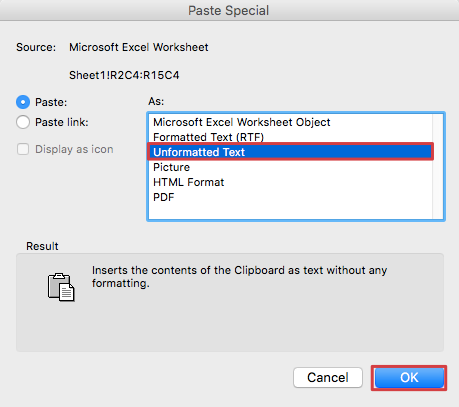
 2. Paste into a Word document doing a Paste Special -> Unformatted Text.
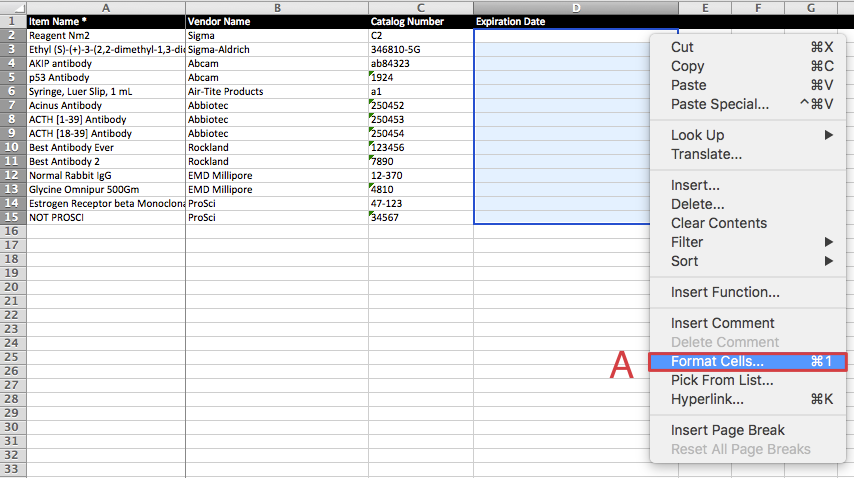
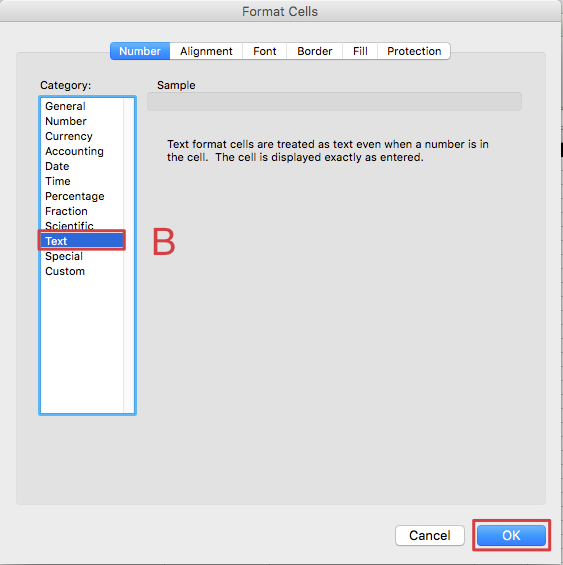
3. Go into the Quartzy Excel Template, select the whole column (A) and change the format of the whole column to Text (B).
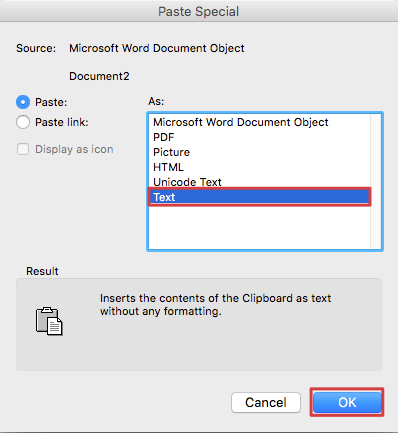
4. Copy the dates from the Word document and do a Paste Special -> Text onto the Quartzy Excel Template in the appropriate column.
Note: Ignore the warning that “these look like dates, do you want to change the format”
Finally, change the type in the main excel sheet from Text to General.