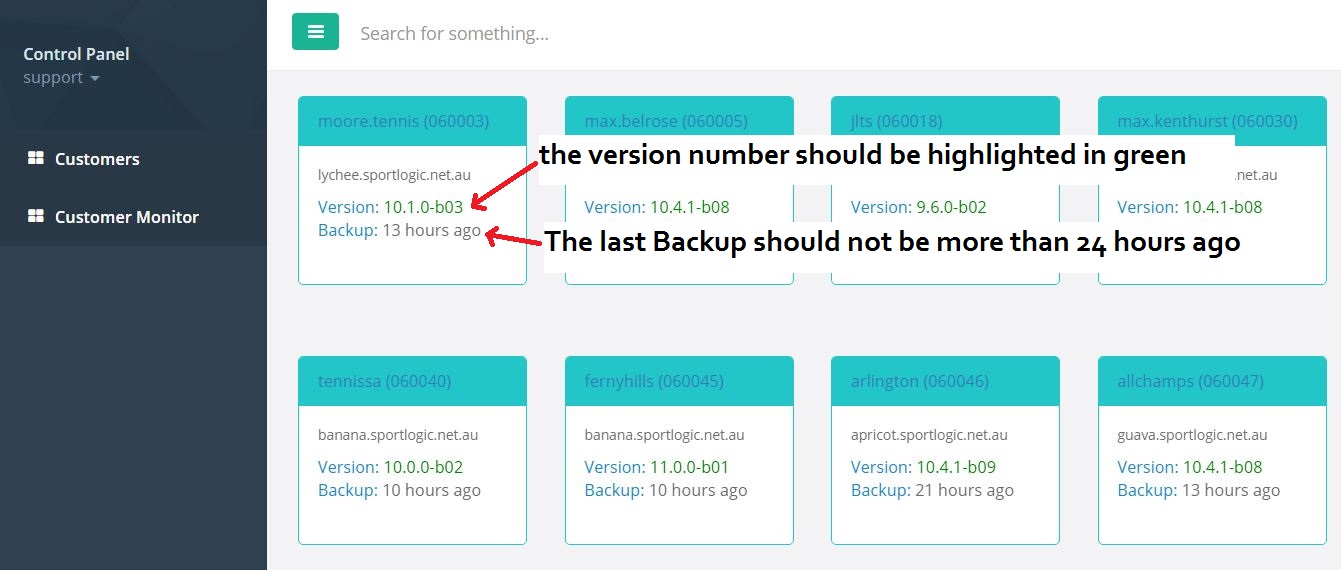
The Control Panel is used to monitor the Database Servers.
1 . Login to the control panel through the link : https://cp.sportlogic.net.au/ with your username and password.

2 . Click on Customer Monitor on the left side of the page and make sure that all the database servers are up and running . If the version number is green in color, then it indicates that the server is up.
Also ensure that the last Backup was done within the last 24 hours.
And check the free disk space info. If free disk space is less than 1G, notify Mark.