Some Clubs ask their customers to renew their membership using the online portal.
How to test if the portal is working .
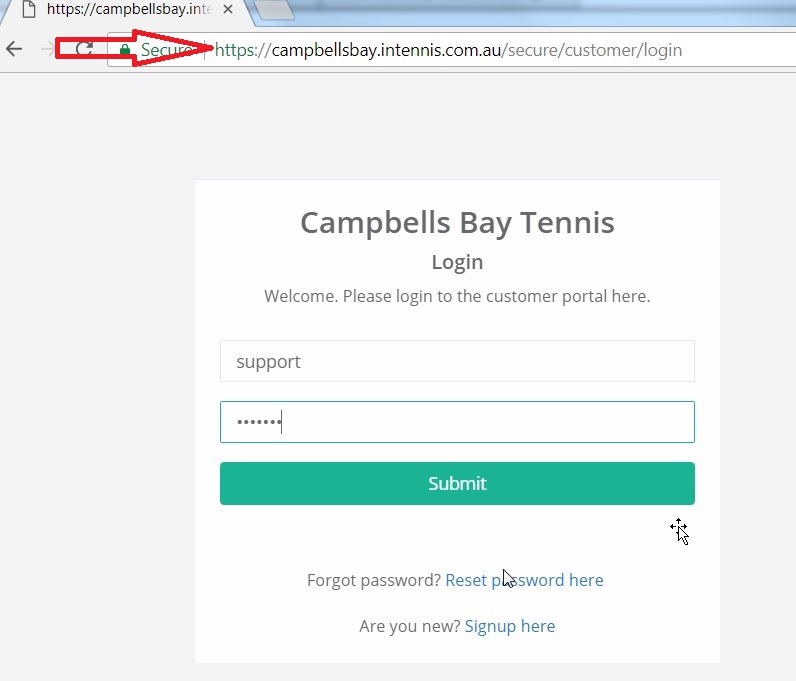
- Login to their inTennis and create a new user . From the online logins tab create a new login id with password ( for campbells bay , we have created user support and password test1234) email is [email protected] ). You will get an email on your registered email id with the link to login . After logging in, check the membership tab in the website . there will be no entries now.
- Add user to a membership from inTennis ( make sure generate invoice is not selected ) and click ok .
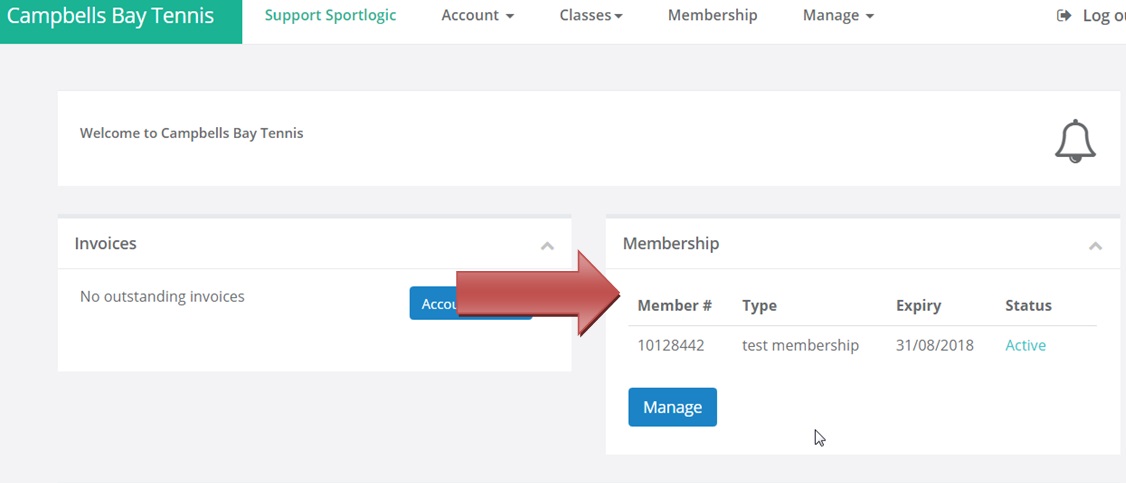
- Login to the web portal and check the membership section – there will be a new entry with the membership details.
- To renew, the customer has to view the entries and then click on pay .
- Since we are performing a test, delete the member from the membership after performing all tests.
There are two ways to join a membership –
- New member – the video shows how someone can join as a new member through the clubs website:
http://kb.sportlogic.com.au/wp-admin/post.php?post=473&action=edit - Existing member (Renewal)
The customer logs in to their portal – https://campbellsbay.intennis.com.au/secure/customer/
And they renew their membership through the membership section on the right side of the page
They will be be added to the membership list in inTennis after they make the payment for the renewal