CREATING SPORTLOGIC CLEARING ACCOUNT
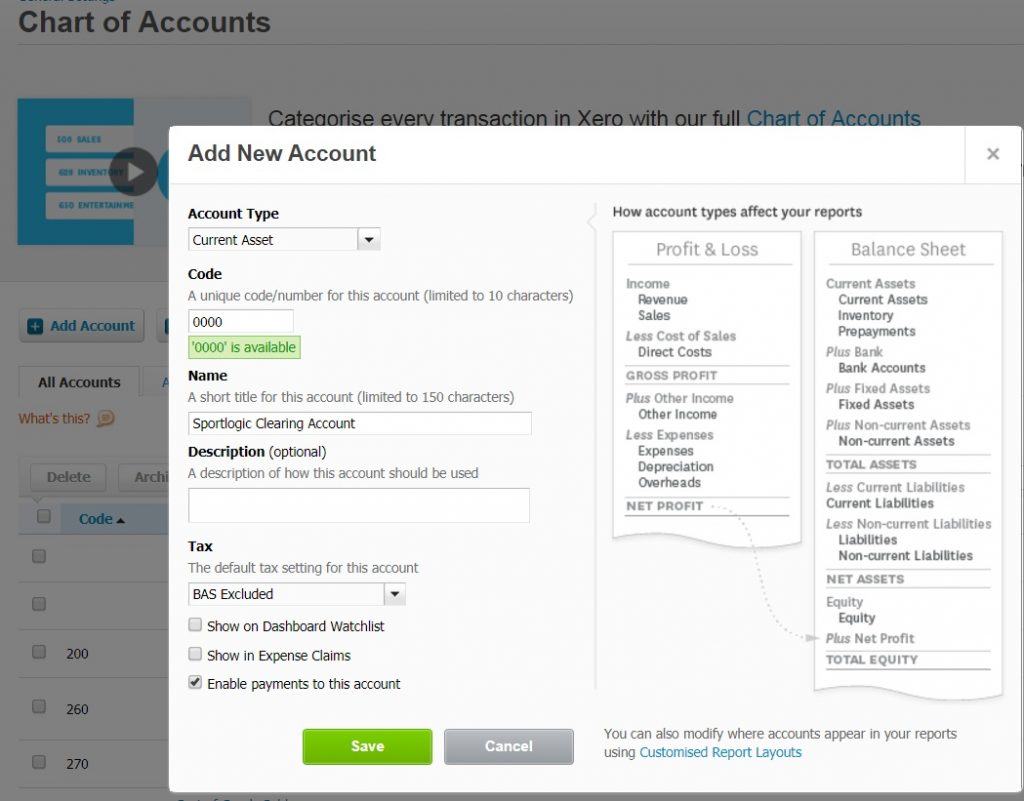
Now login normally to xero.com and Settings>Chart of accounts>Add Account
code : 0000
Name: Sportlogic Clearing Account
Check – Enable payments to this account and click save
MAPPING XERO ACCOUNTS
To Map Accounting>General Ledger Accounts then click on Map Xero Accounts
All Asset accounts should be mapped to Sportlogic clearing account (0000) as shown below.
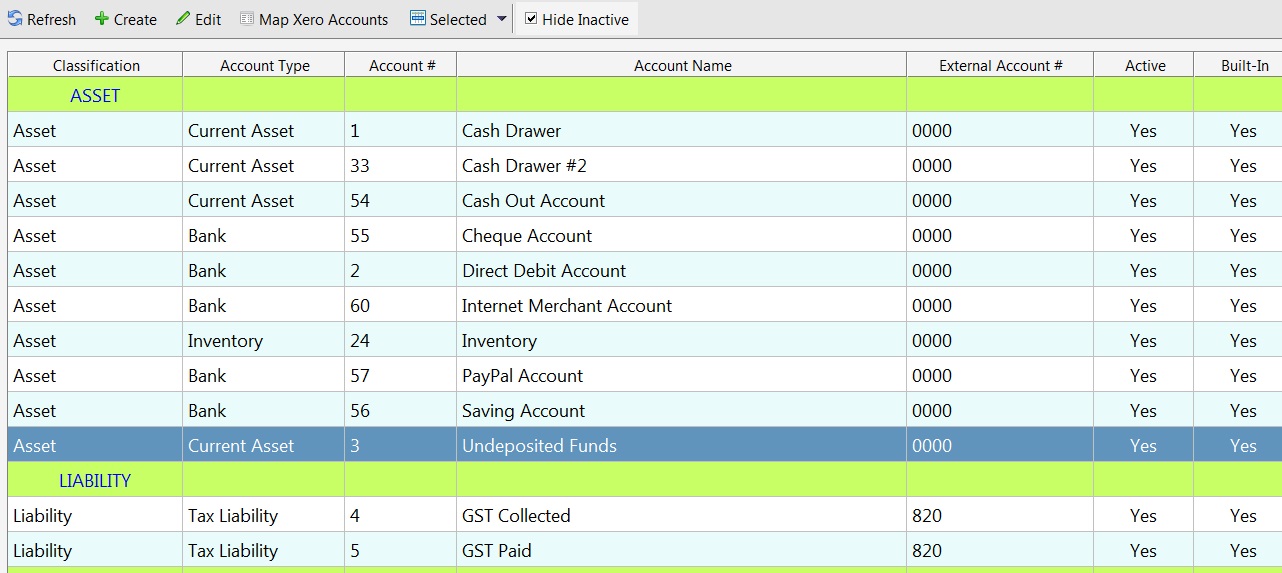
Also in xero click on the Liabilities tab to find the CODE for GST . Enter that number for both GST Collected and CST Paid.