Forget your password? Here is simple solution to reset password.
Open the Application
Step 1. Click the File menu in the top left corner , select User Management and click Users
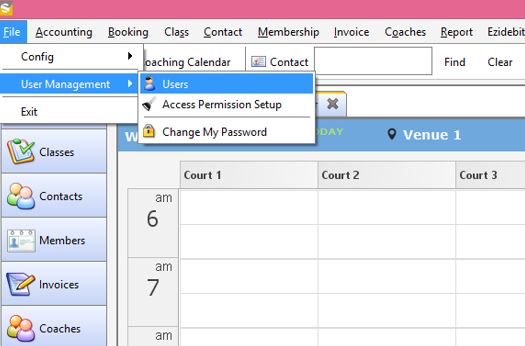
This will open up the user management screen.
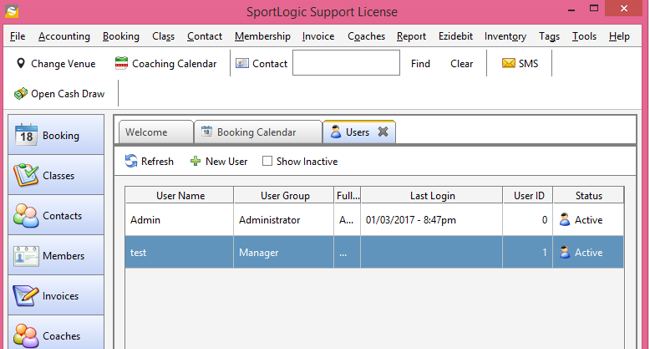
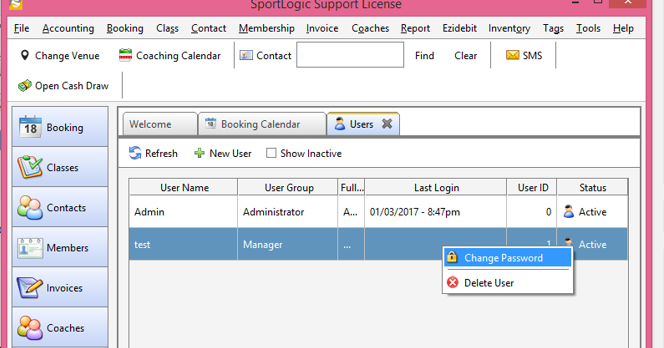
Step 2. click once to highlight the user whom you wish to reset password. Click the right button of mouse, and a popup window will appear. Select the “Change Password” option.
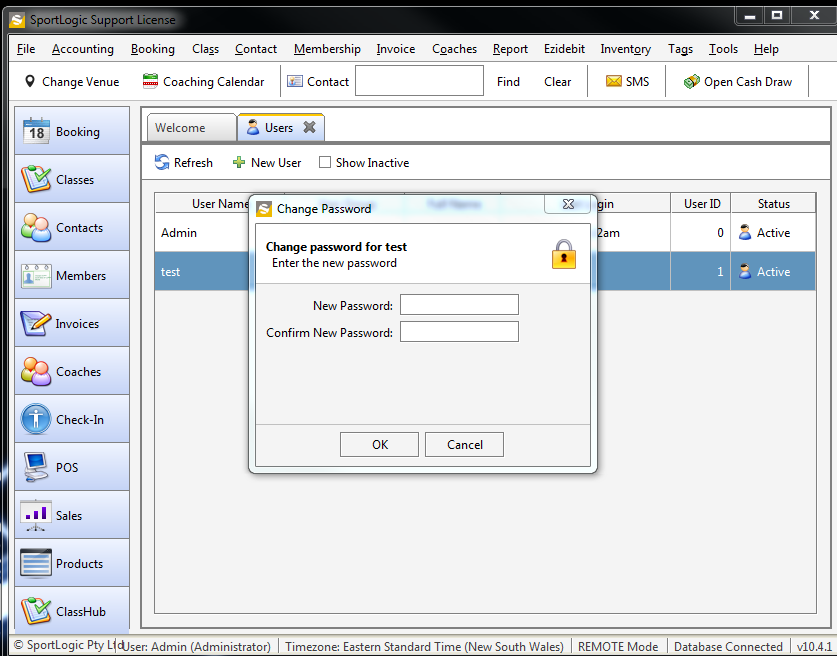
Enter new password and then press OK.
That’s it. Simply done.